Click “New project”
Enterprise PRO
PRO
Lite
Snappy ToolsVISUAL DOCUMENTATION SUITE
Three clear identities · Lite + PRO + Enterprise PRO
SCREENSHOTSTHAT EXPLAINTHEMSELVES.
Start with Lite for capture and local audio, step up to PRO for complete visual documentation, or deploy Enterprise PRO for managed screenshot and video workflows.
Chrome Web Store approved
Access through Dec 31, 2026
Private by design
Inside the extension
See exactly how Snappy works
SNAPPY PRO
What should I create?
1Full pageCapture the complete scrolling page
2Select an areaDrag around the exact region you need
3Guide Creator PROTurn every click into a documented step
Press 1, 2, or 3 while the popup is open
01 · Choose a capture mode
Start with the page already open.
Open Snappy and choose exactly what you want to create—no copying URLs or switching tools.
- Complete scrolling page
- Precise selected region
- Click-by-click PRO guide
Edit your screenshot
1440 × 900
02 · Refine in Capture Studio
Make the important part impossible to miss.
Polish the capture directly in Snappy with the real annotation and privacy tools.
- Crop, draw, highlight, shapes and text
- Blur sensitive information
- Magnify details with Focus Zoom
- Export PNG, JPEG or PDF
SNAPPY PROGuide Studio
Create your first project
3 steps · Edits saved locallyChoose a template
03 · Turn clicks into a guide
Document a process while you do it.
Guide Creator records each important click, then organizes the results into an editable visual walkthrough.
- Automatic ordered steps
- Edit titles and step descriptions
- Copy guide as text or image
- Saved locally in the browser
SNAPPY CAPTURE Enterprise PRO
FIRST-CLICK ACTIVATION
Install once. Activate inside the extension.
On the first click from your Chrome toolbar, Snappy opens its signed activation screen. Enter the email and one-time code supplied by your administrator to unlock your licensed workspace on that browser.
-
01
Add Enterprise PRO to ChromeInstall the approved extension from the Chrome Web Store.
-
02
Click Snappy in the toolbarYour first launch opens the activation screen automatically.
-
03
Enter your license detailsUse your licensed email and one-time activation code.
Signed licenses stay bound to the approved extension installation; private signing keys never enter Chrome.
Capture, record, edit, and explain
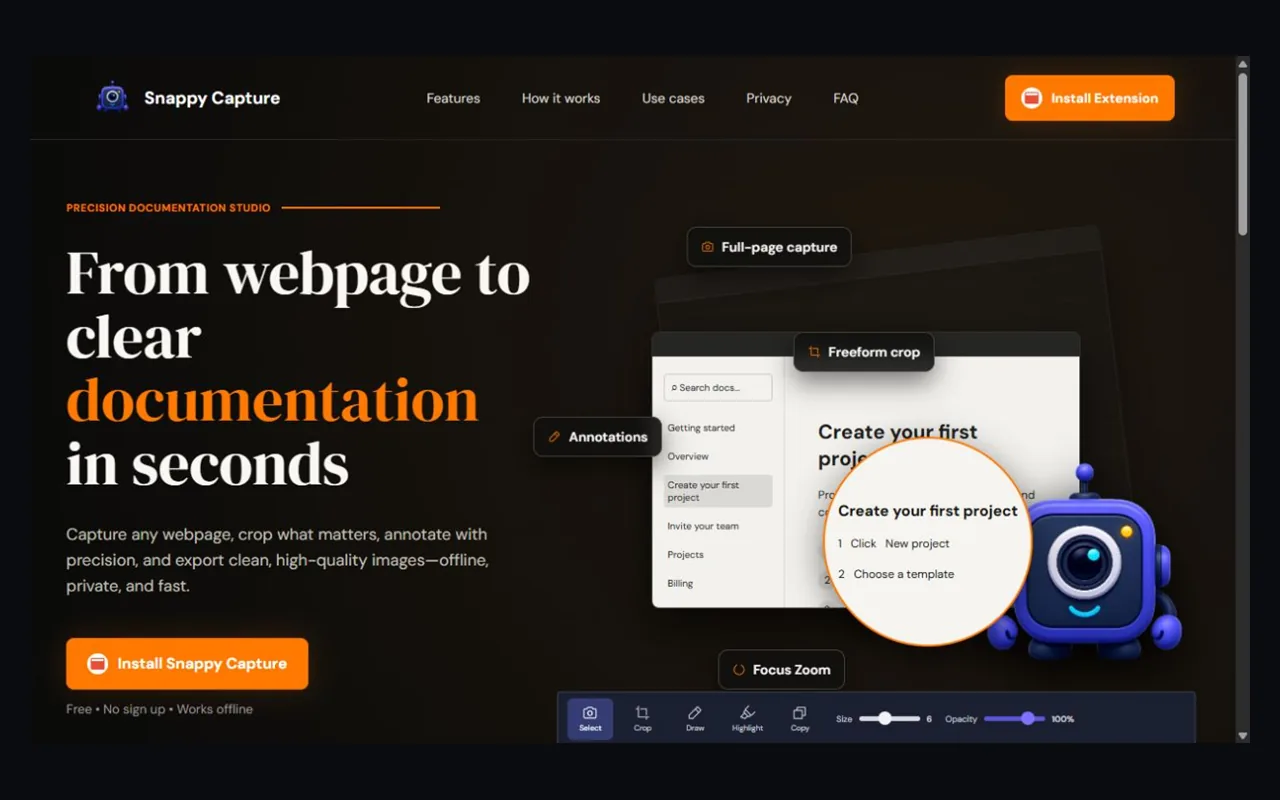
Capture full pages or selected areas, record audio locally, protect sensitive details, and turn important clicks into guides people can follow.
Capture anything
Grab full pages, visible screens, or focused regions—including pages behind a login.
CaptureExplain what matters
Crop, annotate, blur sensitive details, and magnify the exact point with Focus Zoom.
ClarifyBuild repeatable guides
Turn important clicks into ordered visual instructions for training and support.
ShareRecord voice locally
Detect your microphone, record without uploading, and download a clean MP3 to your computer.
AudioFrom webpage to clear documentation
Snappy works directly with the tab you already have open, including signed-in pages.
Open the page
Navigate to the public or signed-in page you want to document.
Start from Snappy
Open the extension and choose a capture mode.
Preview and refine
Crop, annotate, blur, add text, or use Focus Zoom.
Export clearly
Save as PNG, JPEG, PDF, MP3, or a step-by-step guide.
Every tool needed to make a screenshot useful
Snappy combines reliable active-tab capture, precise editing, and repeatable documentation in one extension.
Complete webpage capture
Capture the current Chrome tab, including long pages and authenticated screens. Choose the full page, visible screen, or a focused region.
Extension-only captureOne editing workspace
Combine multiple edits without restarting or flattening the image between actions.
CropTextArrowShapesHighlightBlurUndoRedoCopy
Focus Zoom
Magnify an exact portion of the screenshot for tutorials while preserving the underlying captured pixels.
Circle or rounded rectangleGuide Creator
Turn important clicks into ordered visual instructions. Edit, reorder, undo, redo, or remove individual steps.
Export for the destination
Keep sharp text in PNG, create smaller JPEG files, or prepare a PDF for documentation and sharing. Guides can also be copied as text or as a complete image.
.PNGPNGSharp UI
.JPGJPEGSmaller files
.PDFPDFReady to share
.TXTTextCopy steps
.IMGImageCopy guide
One product across every workflow
Product documentation
Create step-by-step feature instructions and help-center visuals.
Bug reports
Point directly to a problem with arrows, boxes, text, and blur.
Training guides
Build repeatable onboarding and internal process documentation.
Client feedback
Make revisions and approvals easier to understand at a glance.
Choose the right Snappy edition
Lite covers capture, crop, export, and local MP3 recording. PRO adds the complete visual documentation toolkit. Enterprise PRO combines everything with managed access and video.
Lite
For fast screenshot capture, precise cropping, and private voice recording.
Capture, crop, and record
- One-time beta access fee
- Valid through December 31, 2026
- 50% beta-user discount in Q1 2027
- Chrome extension capture
- Full-page and visible-screen modes
- Preview and precise crop
- PNG, JPEG, and PDF export
- Local microphone recording and MP3 download
- One email and registered device
Not included in Lite
View Lite updates
- Annotations, highlights, shapes, and blur
- Focus Zoom callouts
- Step-by-step Guide Creator
- Browser video, webcam, and system audio
- Admin license and device controls
PRO
For teams and creators building repeatable visual documentation.
Document and teach
- One-time beta access fee
- Valid through December 31, 2026
- 50% beta-user discount in Q1 2027
- Everything included in Snappy Lite
- Local microphone recording and MP3 download
- Text, arrows, shapes, highlights, and blur
- Focus Zoom with border and shape controls
- Step-by-step Guide Creator
- Copy guide as text or image
Not included in PRO
Activate Snappy PRO
- Tab, window, or full-screen video recording
- Webcam and system audio capture
- Mouse tracking and automatic click zoom
- WebM or MP4 project export
- Admin licenses, reset, and revocation
Enterprise PRO
For organizations producing secure screenshot, audio, guide, and video documentation.
Capture, record, deploy, and govern
- One-time beta access fee
- Valid through December 31, 2026
- 50% beta-user discount in Q1 2027
- Chrome Web Store distribution
- Everything included in Snappy Lite + PRO
- Local MP3 voice recording
- Tab, window, or full-screen video recording
- Microphone, system audio, and optional webcam
- Mouse tracking, click effects, zoom, and basic trimming
- Local-first WebM or MP4 project export
- Signed first-click activation
- Administrator-issued license codes
- Device binding, reset, and revocation
- Private-by-design deployment
Launching before October 31, 2026
New Snappy tool announcement
Turn recordings into polished device demos.
Mockup Video Studio will frame your recordings inside clean mobile and desktop scenes, ready for product walkthroughs, client presentations, training, and tutorials.
- Desktop and browser presentation frames
- Vertical mobile demonstration layouts
- Local-first workflow for private recordings
Presentation ready
Designed around intentional capture
Snappy never silently reads every open tab. You choose the page, start the capture, review the output, and decide when to save or share it.
User initiated
Capture begins only after an explicit action.
Active tab only
The extension receives temporary access to the tab you choose.
Signed activation
Private signing keys stay on the licensing server, not in the extension.
Review before export
Nothing downloads until the user confirms the result.
Everything users need to know
Can Snappy capture private or signed-in pages?
Yes. The extension captures the active Chrome tab only after you explicitly start a capture.
Why does Snappy use a Chrome extension?
The extension can capture the current tab reliably without sending a URL to a separate web-capture service.
Can users preview before saving?
Yes. Every capture opens in the extension workspace for cropping, editing, and review before export.
Which export formats are supported?
Snappy supports PNG for sharp interface text, JPEG for smaller files, and PDF for documentation and distribution.
How does one-device activation work?
Open the extension and enter your email and activation code. The license binds to that extension installation; an administrator can revoke or reset it.
Is this a subscription?
No recurring charge applies during the beta period. Each tool uses a one-time beta access fee and remains available through December 31, 2026. Beta users receive 50% off during the first quarter of 2027.
Where do I activate my license?
Open Snappy from the Chrome toolbar and enter the email and activation code supplied by your administrator.
Capture with clarity
Turn the next webpage into useful documentation.
Install Snappy, open the page in Chrome, and capture directly from the extension.